<%- include('../partials/Script'); %>
<body>
  <%- include('../partials/NavBar'); %>
  <!-- ======= Solution Section ======= -->
  <section id="solution">
    <div class="container hero-content">
        <div class="hero-text" data-aos="fade-right">
          <h3>CMMS APP</h3>
          <h1>Access Maintenance Management Anywhere.</h1>
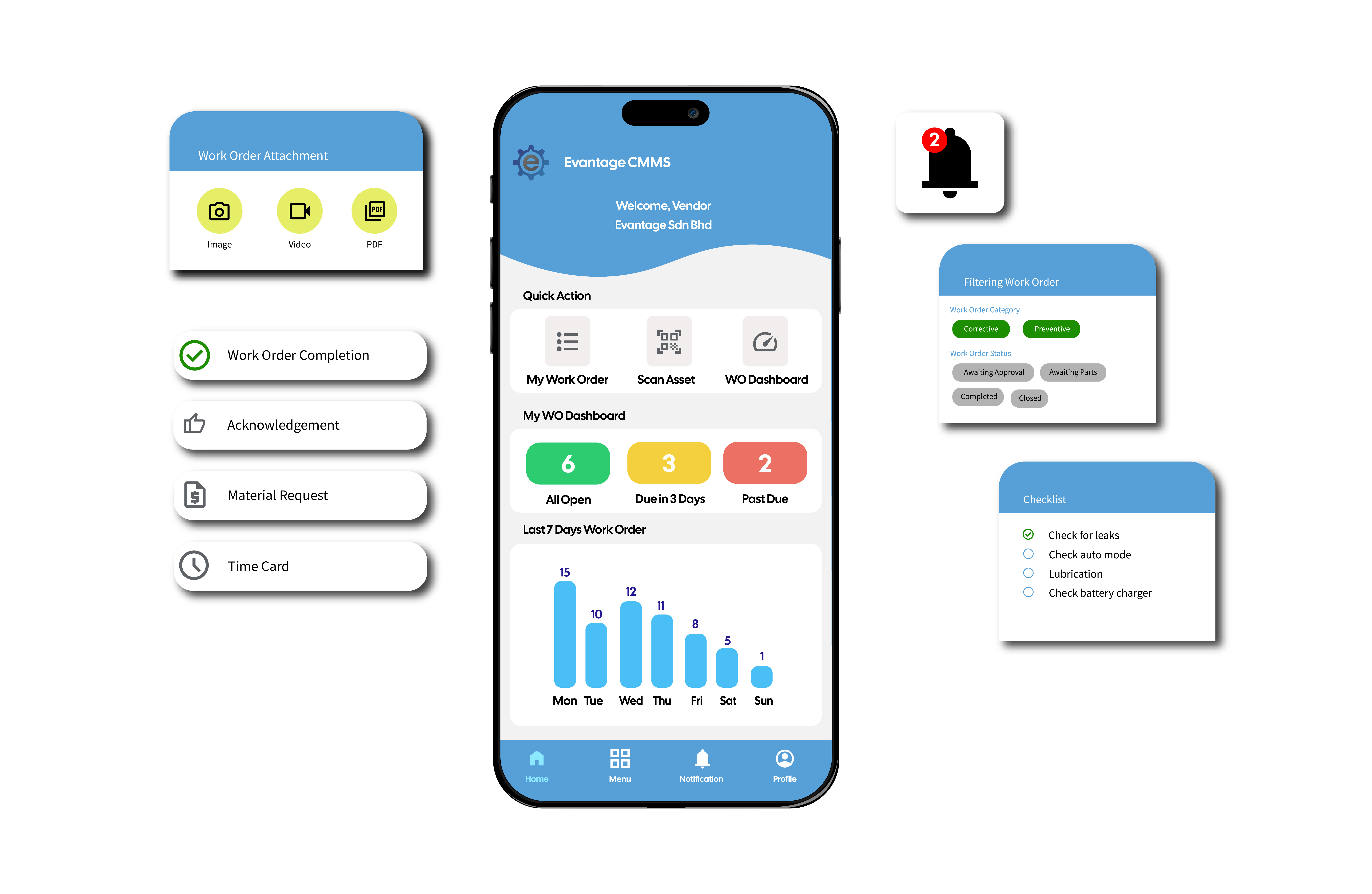
          <p>Evantage CMMS tailored for mobile use, ensuring that users can manage maintenance tasks on the go, whether they are in the field or away from their desks.</p>
          <a class="btnlearnmore" href="#wraph">Learn More</a>
        </div>
        <div class="bgimg" data-aos="fade-left">
            <img src="/views/assets/img/ProductPage/CMMSApp.png" alt="Work Order Image">
        </div>
    </div>

    <%- include('../partials/Counter'); %>
  </section>
  <!-- ======= End Section Solution ======= -->
  
  <%- include('../partials/Clients'); %>


  <!-- ======= Benefit Section ======= -->
  <section id="benefit">
    <div class="container">
        <div class="row">
            <div class="col-lg-6 left" data-aos="fade-right">
                <img src="/views/assets/img/ProductPage/CMMSApp.png">
            </div>
            <div class="col-lg-6 right" data-aos="fade-left">
                <h1 class="benefit-title">Access CMMS Anytime, Anywhere</h1>

                <div class="row" class="service-list">
                    <div class="col-2 icon">
                      <i class="material-symbols-outlined">task_alt</i>
                    </div>
                    <div class="col">
                        <h4>Increased Responsiveness</h4>
                        <p>Enables your team to address maintenance issues swiftly, reducing response times and minimizing downtime.</p>
                    </div>
                </div>
                <div class="row" class="service-list">
                  <div class="col-2 icon">
                    <i class="material-symbols-outlined">task_alt</i>
                  </div>
                    <div class="col">
                        <h4>Enhanced Collaboration</h4>
                        <p>Facilitates better communication and collaboration among team members, regardless of their physical location.</p>
                    </div>
                </div>
                <div class="row" class="service-list">
                  <div class="col-2 icon">
                    <i class="material-symbols-outlined">task_alt</i>
                  </div>
                    <div class="col">
                        <h4>Improved Productivity</h4>
                        <p>Streamlines maintenance processes and makes it easier for staff to manage tasks efficiently while on the move.</p>
                    </div>
                </div>
                <div class="row" class="service-list">
                  <div class="col-2 icon">
                    <i class="material-symbols-outlined">task_alt</i>
                  </div>
                  <div class="col">
                      <h4>Better Decision-Making</h4>
                      <p>Access to real-time data and insights helps teams make informed decisions quickly, improving overall maintenance management.</p>
                  </div>
              </div>
            </div>
        </div>
    </div>
  </section>
  <!-- End benefit Section -->

  <!-- Services-->
  <section id="productfeature">
    <div class="container" data-aos="fade-down">
      <div class="feature-title">
        <h1>Evantage CMMS Mobile App Feature</h1>
      </div>

      <div class="row">
        <div class="col">
          <div class="border">
            <i class="material-symbols-outlined">phone_iphone</i>
            <h3>Mobile Compatibility</h3>
            <p>Available on both Android and iOS devices, ensuring that your team can use the app on their preferred smartphones or tablets.</p>
          </div>
        </div>
        <div class="col"> 
          <div class="border">
            <i class="material-symbols-outlined">manage_history</i>
            <h3>Real-Time Updates</h3>
            <p>Receive immediate notifications about maintenance requests, work order status changes, and important alerts, keeping you informed no matter where you are.</p>
          </div>  
        </div>
        <div class="col">
          <div class="border">
            <i class="material-symbols-outlined">work_history</i>
            <h3>Request Management</h3>
            <p>Submit and track maintenance requests directly from the app, allowing for prompt reporting of issues as they arise.</p>
          </div>
        </div>
        <div class="col">
          <div class="border">
            <i class="material-symbols-outlined">quick_reference_all</i>
            <h3>Work Order Tracking</h3>
            <p>Access and manage work orders on the go, view details, and update statuses in real time to streamline workflow.</p>
          </div>
        </div>
        <div class="col"> 
          <div class="border">
            <i class="material-symbols-outlined">mobile_friendly</i>
            <h3>User-Friendly Interface</h3>
            <p>An intuitive design makes it easy for all employees, regardless of technical skill, to navigate and utilize the app effectively.</p>
          </div>  
        </div>
        <div class="col">
          <div class="border">
            <i class="material-symbols-outlined">wifi_off</i>
            <h3>Offline Functionality</h3>
            <p>Work offline when connectivity is limited, ensuring that you can still access and input data. Sync updates when you regain connection.</p>
          </div>
        </div>
        <div class="col">
          <div class="border">
            <i class="material-symbols-outlined">find_in_page</i>
            <h3>Asset Management</h3>
            <p>Quickly look up asset information, maintenance history, and specifications, allowing for informed decision-making on-site.</p>
          </div>
        </div>
        <div class="col"> 
          <div class="border">
            <i class="material-symbols-outlined">forum</i>
            <h3>Communication Tools</h3>
            <p>Facilitate communication between team members and requestors, improving coordination and response times.</p>
          </div>  
        </div>
        <div class="col">
          <div class="border">
            <i class="material-symbols-outlined">upload_file</i>
            <h3>Documentation</h3>
            <p>Upload photos and notes related to maintenance tasks or issues, providing valuable context for future reference.</p>
          </div>
        </div>
      </div>
    </div>
  </section>
  <!-- End Services-->

  <!--About Section-->
<section id="about">
  <div class="container">
    <div class="industry-cmms">
      <div class="industry-text" data-aos="fade-right">
          <h1>Eliminate Paperwork Orders</h1>
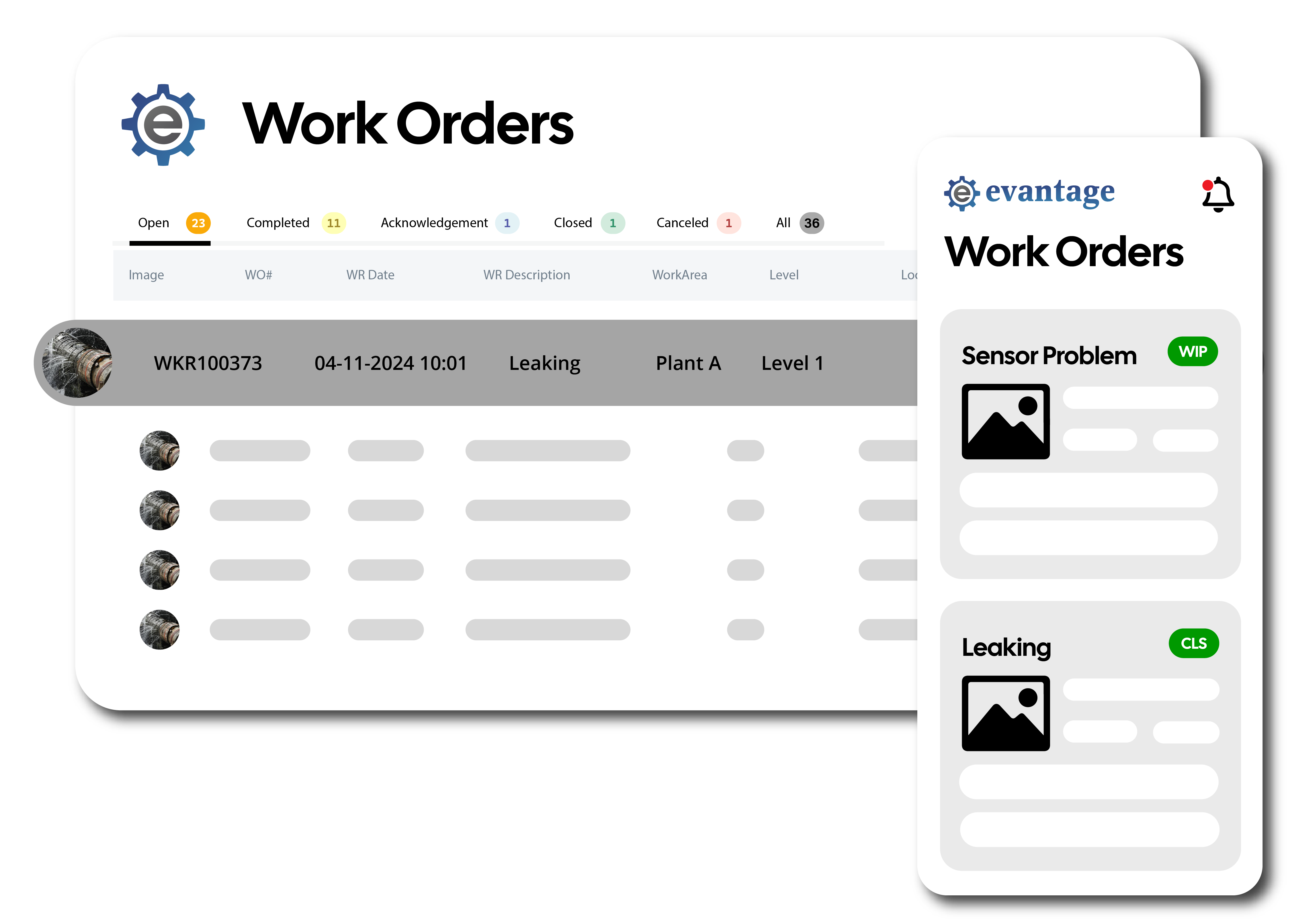
          <p>Effortlessly create, manage, and streamline your work orders and requests, all while keeping your records organized in one central location. Automatically analyze your work orders with Evantage's work order insights report.</p>
      </div>
      <div class="industry-img" data-aos="fade-left">
          <img src="/views/assets/img/ProductPage/Work Order w phone.png" alt="Work Order Image">
      </div>
    </div>
    <div class="industry-cmms">
      <div class="industry-img" data-aos="fade-right">
          <img src="/views/assets/img/ProductPage/Asset Scan.png" alt="Asset Scan Image">
      </div>
      <div class="industry-text" data-aos="fade-left">
          <h1>Stop Guessing About Your Assets</h1>
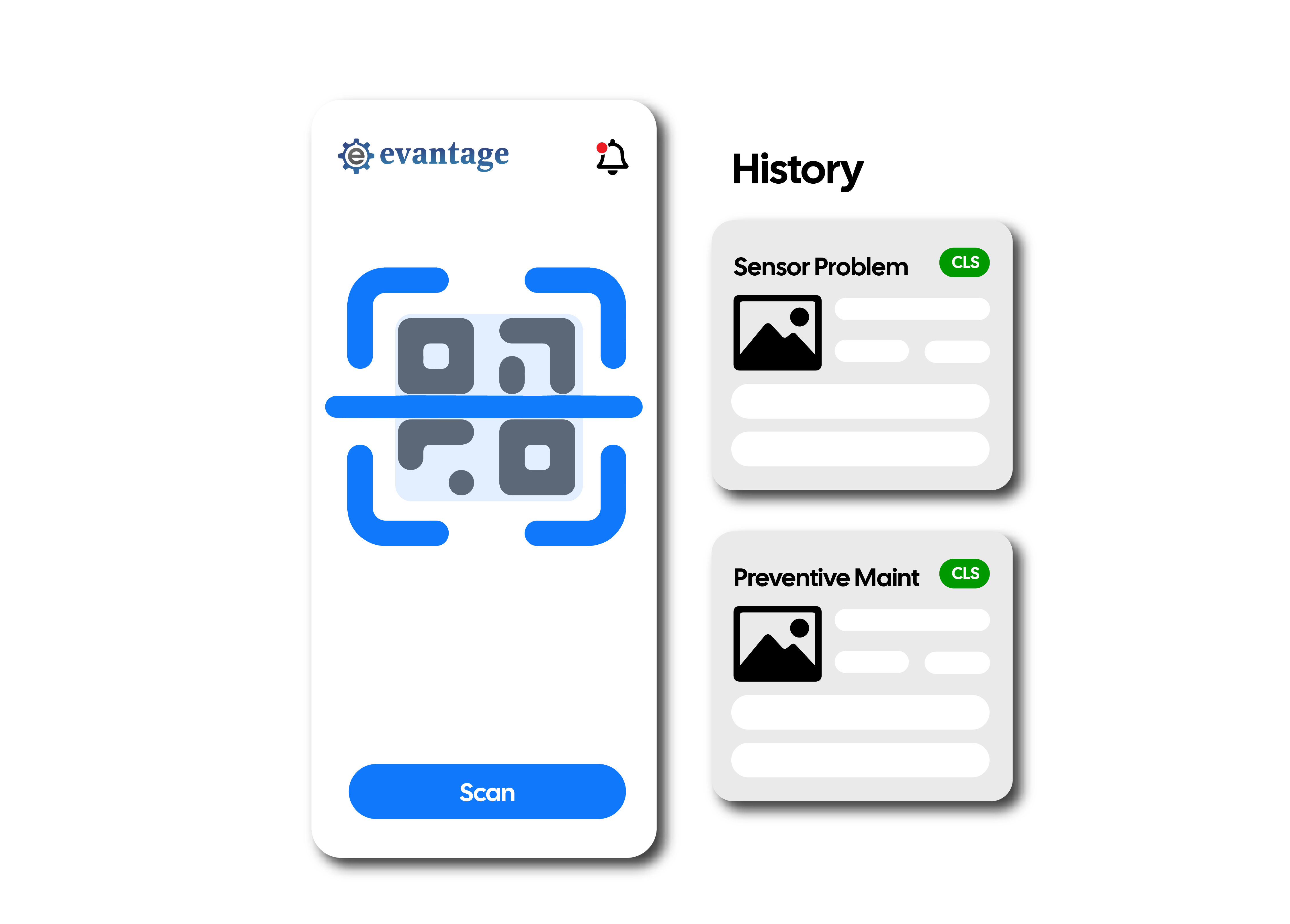
          <p>Effortlessly view and manage your asset information by scanning the QR code to view repair history and beyond— all in one place with Evantage's asset management module. Instantly dive in to monitor, track, and optimize asset performance with just a few clicks.</p>
      </div>
    </div>
    <div class="industry-cmms">
      <div class="industry-text" data-aos="fade-right">
          <h1>Say Goodbye to Paper Checklists</h1>
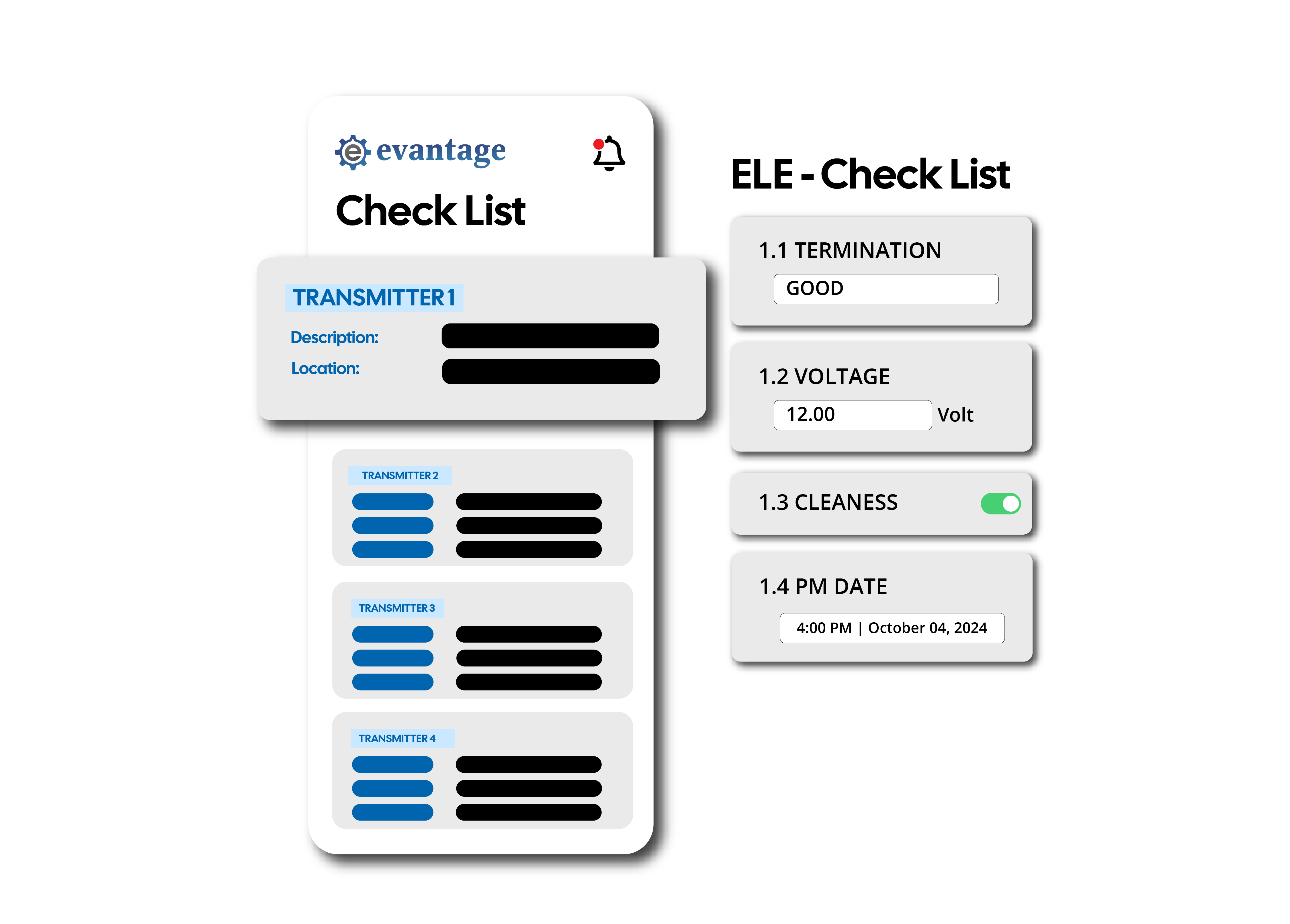
          <p>Effortlessly create, manage, and complete your checklists— from routine inspections to detailed maintenance tasks— all in one place with Evantage's digital checklist module. Instantly track progress, stay organized, and ensure nothing is overlooked, with just a few taps on your mobile device.</p>
      </div>
      <div class="industry-img" data-aos="fade-left">
          <img src="/views/assets/img/ProductPage/DigiChecklist.png" alt="CMMS Image">
      </div>
    </div>
    
  </div>
  </section>  
<!--End About Section-->

  <%- include('../partials/Footer'); %>
</body>

</html>